Home Quizzes Browse Compare Games About Blog Calculator Contact Find My Printer

The Smartest Way to
Pick a 3D Printer

Your ultimate 3D printer research tool. Find, compare, and choose the perfect 3D printer with confidence.

No pay-to-rank. No sponsored placements. Ever.

108Printers
17Questions
0Affiliate Bias
<2mTo Results
Printer of the Month - December 2026
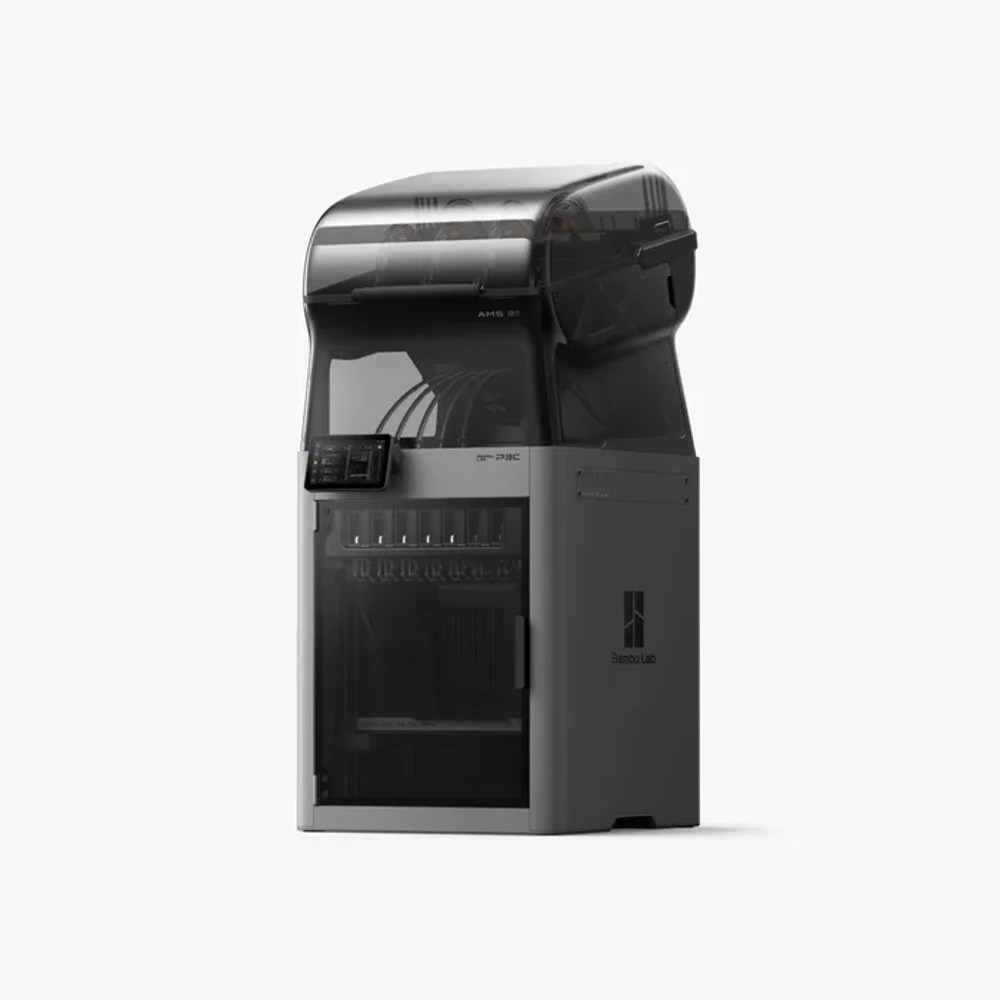
Bambu Lab P3C
Printer of the Month (Archive)

Bambu Lab P3C

From $1,149

The P3C is an enclosed CoreXY machine with a 256×256×260mm build volume and speeds up to 1,400mm/s, with five toolheads for fast multi-color and multi-material printing on the easy, reliable Bambu platform.

1400mm/s 256×256×260mm CoreXY Enclosed 5 Toolheads

Newest Blogs

The latest guides, reviews, and tips from the PrintMatch team.

View all posts →

Background Info

What We Have Done to Get You the Best 3D Printer

Choosing a 3D printer is hard. I get that. I spent about 50 hours picking mine. Maybe I went a bit overboard, but decision fatigue is a real thing, so I hope to add some ice to that muscle. And this is how we do it:

Step 1: The Quiz

We made a 17-question questionnaire that gets to know who you are and gives you the best printer for you.

There are 108 printers, and it still feels like too little. So we don't just tell you the best printer we tell you the best 6 printers. Because one printer may not have a feature you would like, but one of the other 6 might.

And the questions aren't generic, like "How high quality do you want?" because we all know what high quality is. Print quality has so little difference between printers now. If a 3D printer has print quality problems out of the box, that's a red flag more than the tiny difference in print quality.

Step 2: Browse

The Browse section lets you see all 108 printers. You can filter them and see what they have to offer, making it easier to find a good one for you.

Step 3: Comparing

Let's take those results you got from the quiz and put them into the Compare tool.

Here, you will see the differences between the printers. Is there a reason you got the A1 Mini instead of the Anycubic Kobra X? You can find out in the Compare tool.

Step 4: Calculate

Now that you know what printer you want to buy, it's time to see how much it will cost to use.

Go to the Calculate tab and enter your information. None of it is stored, and you'll get a price for how much that printer will cost to use.

Step 5: More Info

Go to the Blog section and find an article. Read it to learn more about this wonderful hobby.

Conclusion

Congratulations! You have entered into the best hobby in the world.

Have fun!

Written by Blue_Speed, a 3D printing enthusiast who has researched 3D printers for 300+ hours and has been using one for more than 1,000 hours of print time. More about me

Quick Answers

Frequently Asked Questions

How does the quiz pick my printer matches?

The system is pretty complex, but in short, it gives points to printers that meet your requirements. Want the full breakdown? Check out this blog post.

Where do your printer prices and specs come from?

From the official manufacturer site. If a company doesn't list something (like Prusa with print speed), I pull it from other sources. I update prices every week.

Is PrintMatch free to use?

Yes, 100% free. The only thing I plan to charge for is an option to remove ads. Nothing else.

How does PrintMatch make money?

Right now, PrintMatch makes money from affiliate links (including Amazon Associates, Anycubic, Elegoo, FlashForge, Snapmaker, and Qidi), and we are working on getting ads onto PrintMatch. To learn more about me, go to the About page. To learn more about monetization, go to the Affiliate Links & Monetization section of our Terms of Service.

Should a beginner start with FDM or resin?

Almost always FDM. The way things are right now, if you can build IKEA furniture, you can run a 3D printer.

How much should a beginner budget?

About $300. A bigger budget won't make 3D printing harder, just more fun.

What's the biggest mistake new buyers make?

Buying a $100 kids' 3D printer. They're basically unusable, so you'll end up wasting your money. As a rule, if a printer isn't in the catalog, it's not good enough for the current market. If you think one deserves a spot, use this form.

What happens to printers that get discontinued?

I almost never remove printers. If one is discontinued, I move it to the Ancient Printers section.

What if I find an error in your specs or prices?

Go to the contact page and tell me what's wrong, ideally with a screenshot. I'll fix it within 24-48 hours and give you a shout-out in the changelog.

Settings
Light Mode